AppLocker Commander ™
Windows Protection
High Security
for all
- System Hardening
- Rule Management
- Block All
- Allow Whitelist

Key Features
High‑Security Rules
- One Click High Security Create enterprise grade security rules instantly.
- Trusted Standards Powered by security frameworks used in banking and critical infrastructure.
- Smart System Analysis Automatically scans your environment for optimal protection.
- Lightning Fast Setup Ready to use in seconds.
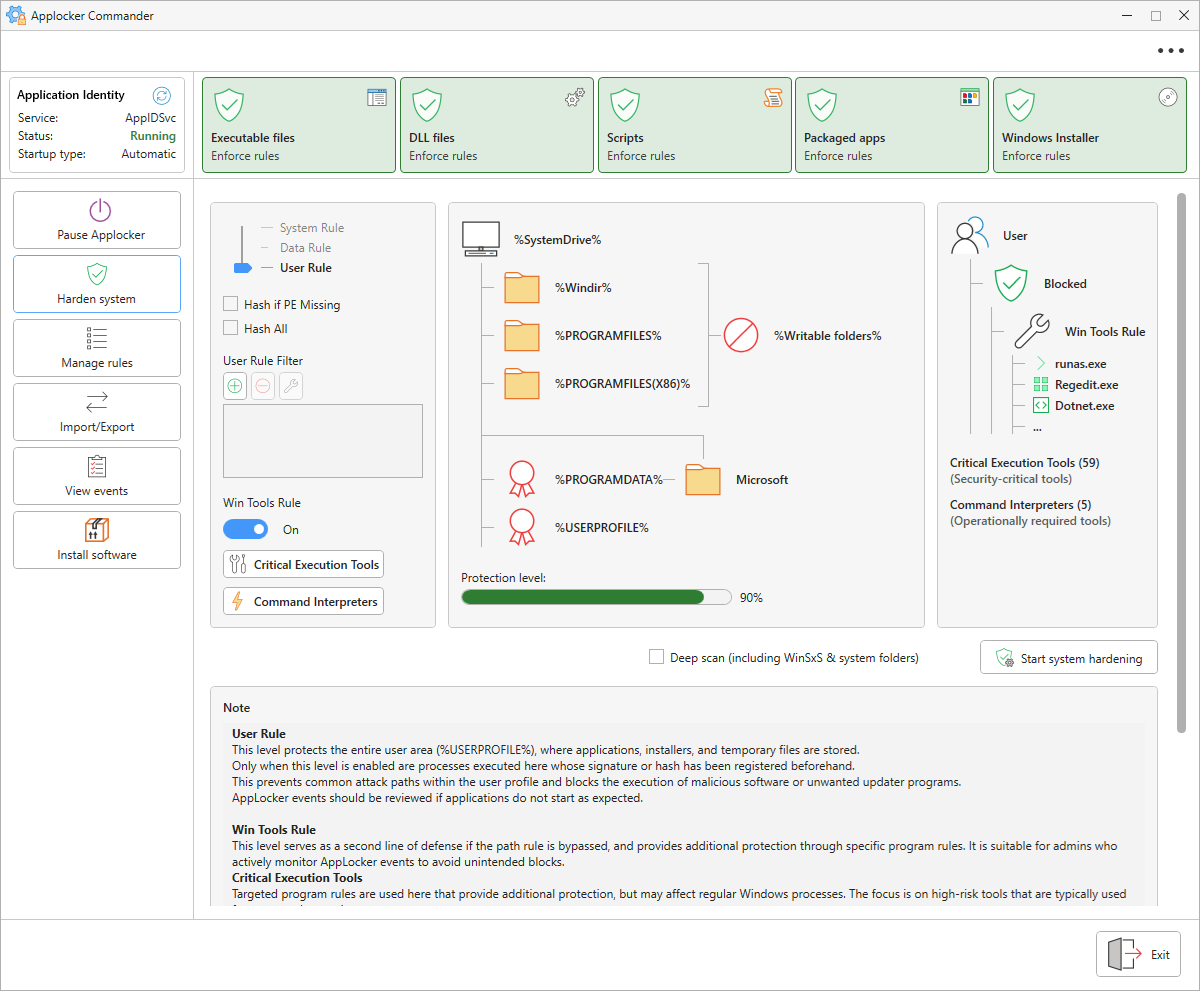
System Hardening
- Smart Graphic Selection Automatically translates visual choices into precise AppLocker rules.
- Intelligent Testing Performs write tests and adapts rules dynamically.
- Flexible Security Tiers Offers multiple security levels tailored to different use cases.
- Error Prevention Prevents misconfigurations through automated validation.
AppLocker Status Dashboard
- Live Overview Displays the current status of all five AppLocker modules instantly.
- Automatic Detection Recognizes whether rules are active, in audit mode, or disabled.
- Real Time Polling Updates status periodically through live rule queries.
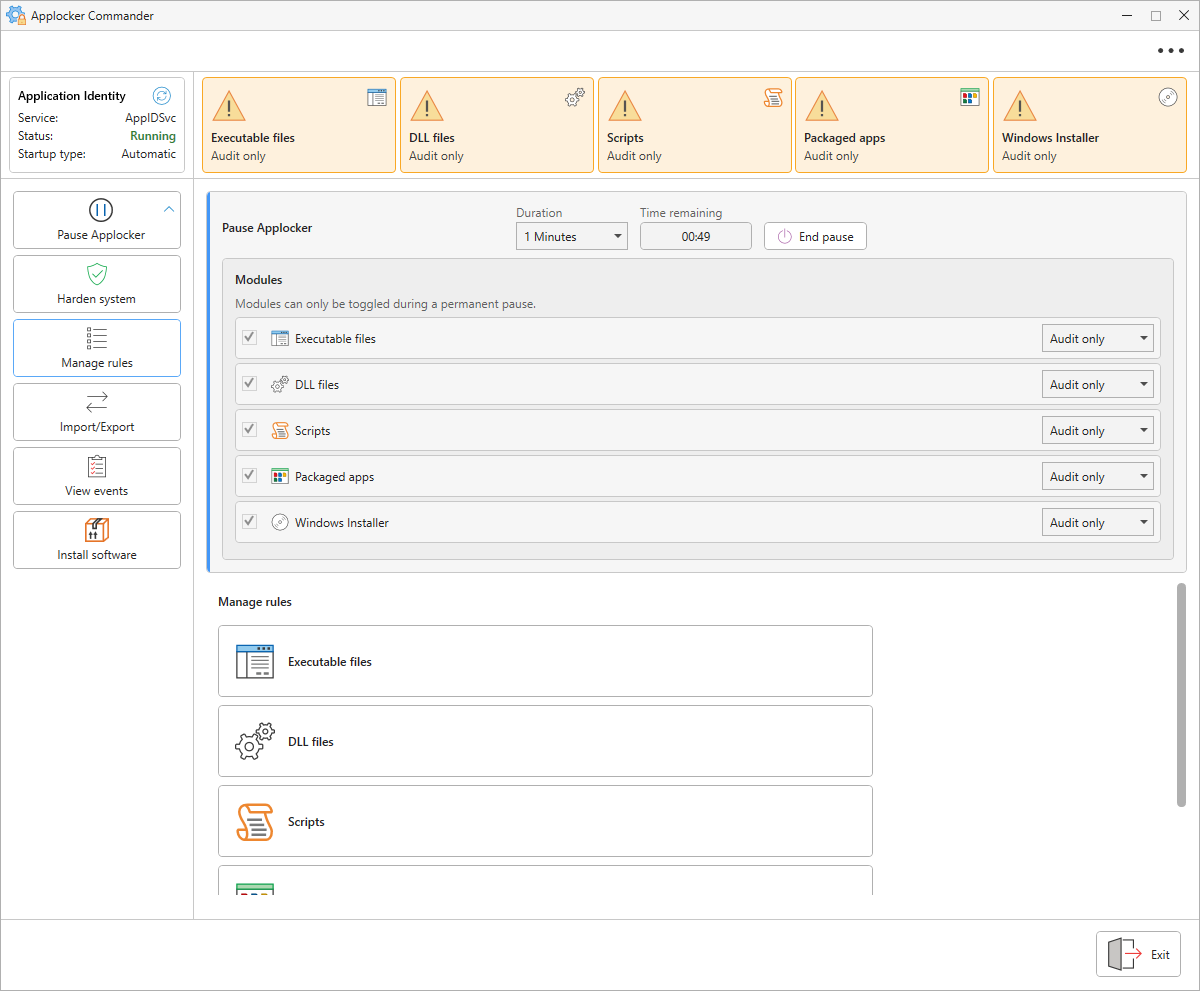
Applocker Pause Function
- Switches AppLocker temporarily to audit mode for seamless troubleshooting.
- Enables a safe and controlled pause for software installations or testing.
- Allows you to end the pause instantly with a single click.
- Ends the pause automatically via a built-in timer so protection is never forgotten.
- Before the protection is modified or disabled, the system automatically checks the events and warns in case of suspicious behavior.
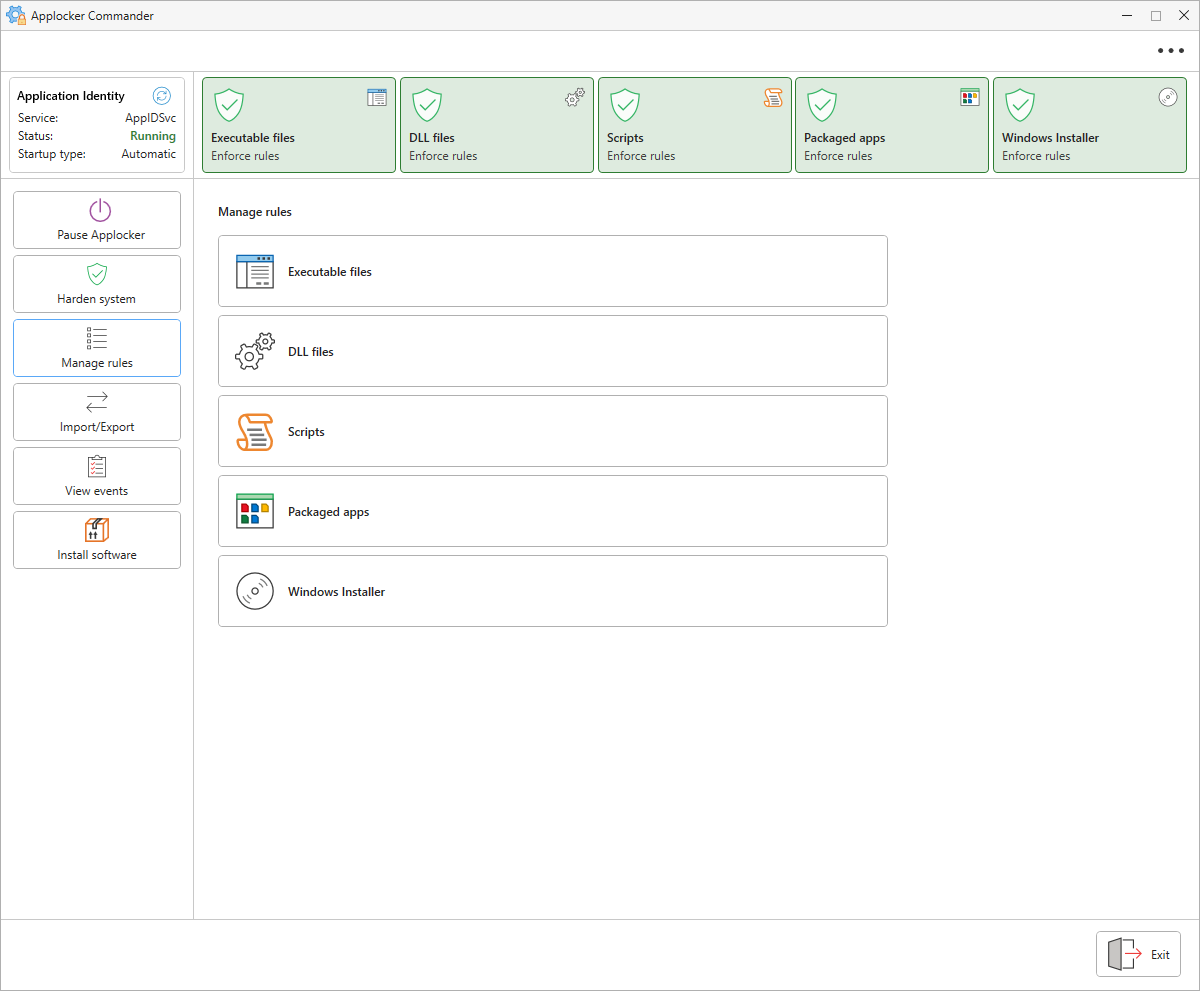
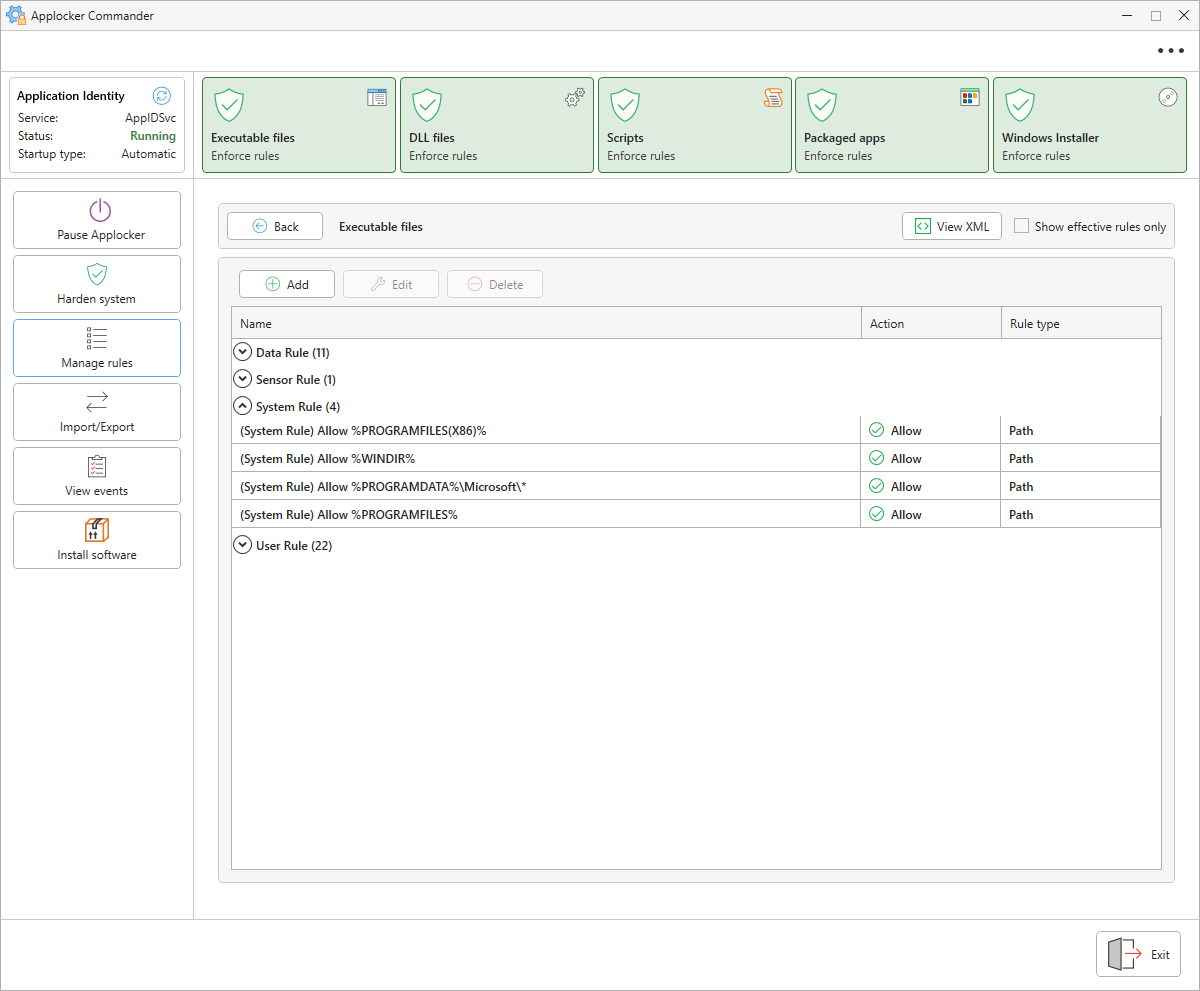
Rule Management
- Displays all existing rules in a clear and organized list.
- Groups all rules automatically by type and scope.
- Allows editing, deleting, and adding rules effortlessly.
- Displays every rule in a clean and concise preview.
- Exports individual rules seamlessly as an XML file.
Import and Export
- Exports all rules into a compatible format.
- Imports individual rules from a complete export package.
- Saves modified rules automatically after every adjustment.
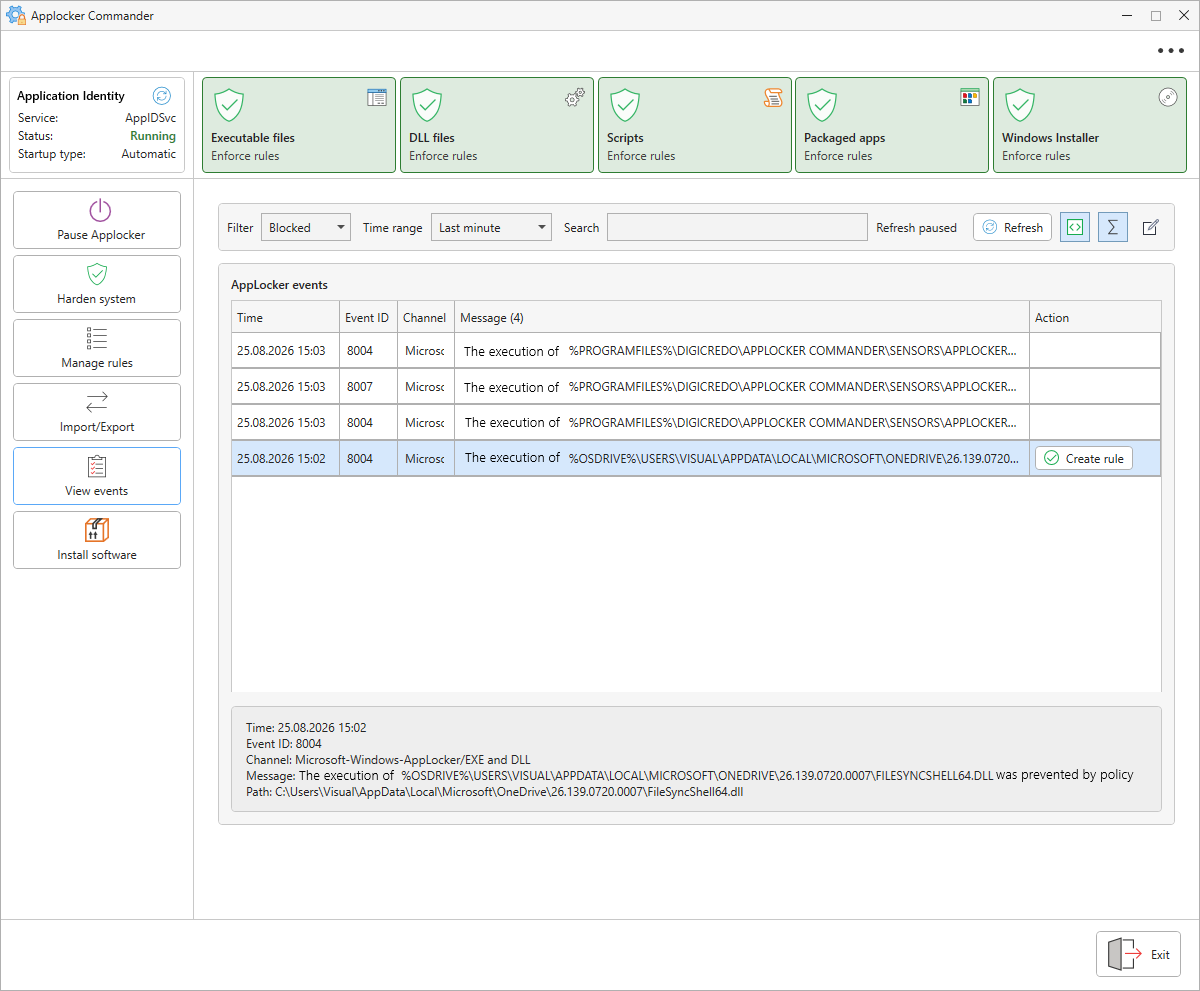
Event View
- Hides duplicate events automatically using intelligent filters.
- Displays a preview of the complete event details.
- Copies events directly to the clipboard.
- Enables creating an allowance rule straight from an event.
Emergency Unlock
- Quickly configures Safe Mode (F8) for Windows startup.
- Clears the AppLocker cache and disables the service when needed.
- Safely overrides AppLocker to make your system accessible again.
- Provides a reliable recovery path in case of misconfigurations.
What is AppLocker?
AppLocker is a powerful allow‑list security system that blocks everything except what you explicitly trust.
Once the rules are created, they protect your system against future threats — even against malware that doesn’t exist yet.
Rules only change when your system changes, such as installing or removing software.
Its strength lies in its simplicity: when only trusted applications can run, new malware has no path to execute.
Security Mechanisms Compared
| Protection System | Virus Attack | Program Execution | Functional Principle |
|---|---|---|---|
| Antivirus | 🟡 When known | 🟢 Always allowed |
Blacklisting
Reacts to known signatures
|
| AppLocker | 🟢 Always blocked | 🟡 When known |
Whitelisting
Blocks the unknown by default
|
Why AppLocker Commander
AppLocker Commander brings this hidden Windows security feature straight to your desktop and makes it wonderfully easy to use.
It combines all necessary tools into a single modern interface and creates custom security rules automatically—no expert knowledge required.
This turns a complicated professional function into a simple tool that anyone can use safely.
Who is AppLocker Commander for
- Windows Pro Users — Individuals who want to run and control their personal PC securely and reliably
- Server Administrators IT professionals managing RDS and terminal servers, school environments, and corporate infrastructure
- Businesses and Organizations Any environment where applications and programs need to be strictly and reliably controlled
Frequently Asked Questions
Does AppLocker Commander install additional components?
No. AppLocker Commander installs nothing. All functions rely entirely on AppLocker, which is already built directly into Windows.
Does AppLocker Commander replace Windows AppLocker?
No. It is a management console for the AppLocker engine already built into Windows — it does not replace or duplicate it, it makes it usable.
Can I use AppLocker without the Commander?
Yes, but only manually via Group Policies and XML rules. The Commander makes these complex functions visible and easy to operate.
Which Windows versions support AppLocker?
AppLocker works exclusively on Windows Pro, Enterprise, Education, and Server editions.
Can I use Windows Home?
Windows Home can be unlocked using a valid Home-to-Pro upgrade key, after which it fully supports AppLocker.
Why are administrators not given exceptions?
Because administrators hold the most critical accounts, meaning any relaxation of rules would create a high security risk.
What happens if a rule blocks something critical, like startup itself?
An emergency‑unlock switch lets administrators disable AppLocker from Safe Mode if a badly created rule blocks system startup — the system then starts normally again.
Are domain Group Policies (GPOs) supported?
Not directly yet—support is currently planned. However, rules can be created locally and then easily imported into a domain GPO, allowing you to use AppLocker in corporate domains right now.
Can rules be exported and reused across machines?
Yes. Rule sets can be exported as XML and imported again individually or all at once.
Screenshots